

A point of sale that never waits for the internet.
The same counter, inventory and reporting as GetBizApps POS — installed on a local server inside your premises, licensed yearly, with your data staying on site.
YOUR LOCAL SERVER
Installed on your premises and reached over your own network.
ENCRYPTED BUILD
Shipped encrypted and activated against a yearly licence.
UPDATES ON RENEWAL
Every yearly renewal includes the updates released that period.
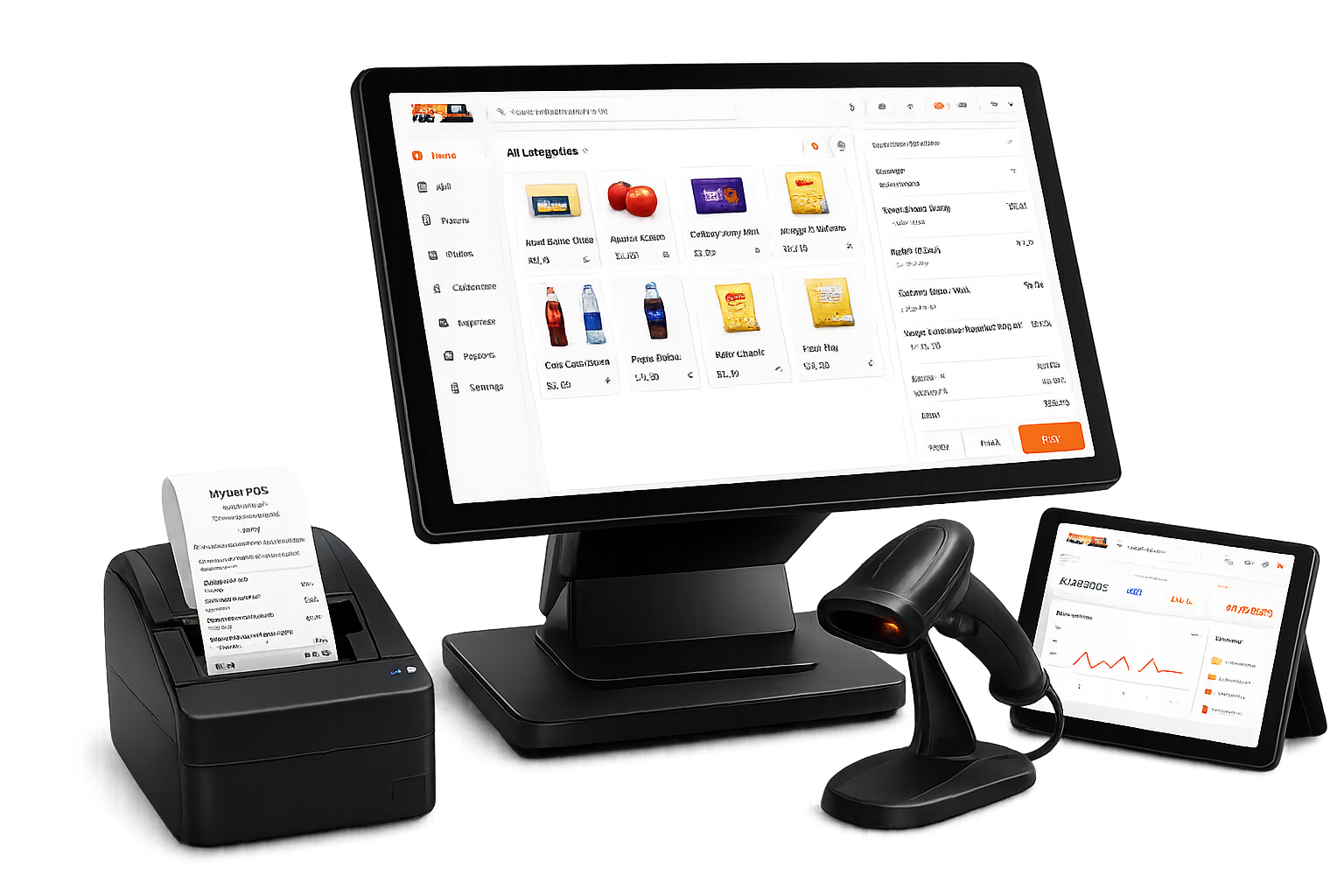
Always connected where it matters
Online and offline become one business system.
The counter keeps moving locally while connected channels stay synchronized when the network is available.
Connected channels
Online


- Online orders
- Shared inventory sync
One business system
GetBizApps POS
Resilient counter
Offline
Local product data
Available at checkout
- Offline sales queue
- Automatic reconnection sync
Want to see the real cashier and reports in action?
Open the live demoProduct overview
Run sales, stock, and reporting from one place.
Four core workflows show how GetBizApps POS supports daily store operations.
Cashier
Powerful cashier
Sell faster
Search, scan, discount, select a customer, take payment, and issue the receipt.
Inventory control
Stock tracking
142
Purchasing
+40
Low-stock alerts
8
Smart inventory
Stay in control
Watch quantities, purchasing, adjustments, and movement across locations.
Online + offline cashier
Keep selling without internet
Cashiers can create and complete orders even when the internet is down. Sales are saved locally and sync automatically when the connection returns.
Business overview
Sales
Profit
Stock
Reports & analytics
Know your business
Read sales, revenue, profit, expenses, stock, and best sellers at a glance.
Practical tools for everyday store operations.
Keep checkout moving, track stock accurately, and reduce manual work.
The queue never stops.
Take orders offline and let GetBizApps POS safely sync them when the connection returns.
Automatic pricing
Update the selling price from purchase cost and your configured margin.
Know exactly where it is.
Track inventory by aisle, fridge, rack, or godown—not just by store.
One POS. Three selling styles.
Switch the checkout layout to match a counter, fast lane, or visual catalog.
Sell what expires first.
FEFO suggestions surface the batch closest to its expiry date first, reducing waste.
Batch B-104
Expires first
Turn the second screen into trust.
Show the live cart, total, and a payment QR while the cashier completes the sale.
Stock moves as one continuous story.
Purchases add it, sales reduce it, and every adjustment stays visible.
Opening stock
120
Purchase
+40
POS sale
-18
Remaining
142
Track every IMEI.
Capture the IMEI or serial number at sale, so every device stays traceable end to end.
iPhone 15 Pro
35 682311 456789 0
Galaxy S24 Ultra
35 901244 178823 1
Manage the full warranty lifecycle.
Track coverage from registration to claim, so support teams always know what's covered.
THE COMPLETE RETAIL CYCLE
One workflow from product setup to performance report.
Every step feeds the next, so sales and stock stay connected.
01
Product02
Purchase03
Inventory04
POS sale05
Payment06
Receipt07
Report
BUSINESS WORKFLOWS
Choose the workflow that fits your business.
Use industry-specific tools without installing or maintaining separate software.
Fast, flexible retail
Variants, customers, and checkout in one clear view.
Move from product search to payment quickly while keeping the details that matter.
- Size and colour variants
- Customer history and loyalty
- Hold and resume carts
Item 1
Blue / MItem 2
Item 3
Item 4
Cart
- Item 1$0.00
- Item 2$0.00
- Item 3$0.00
Real product. Real screens.
Look through the system before you buy it.
Every screen below comes from the working product—not a concept mockup.
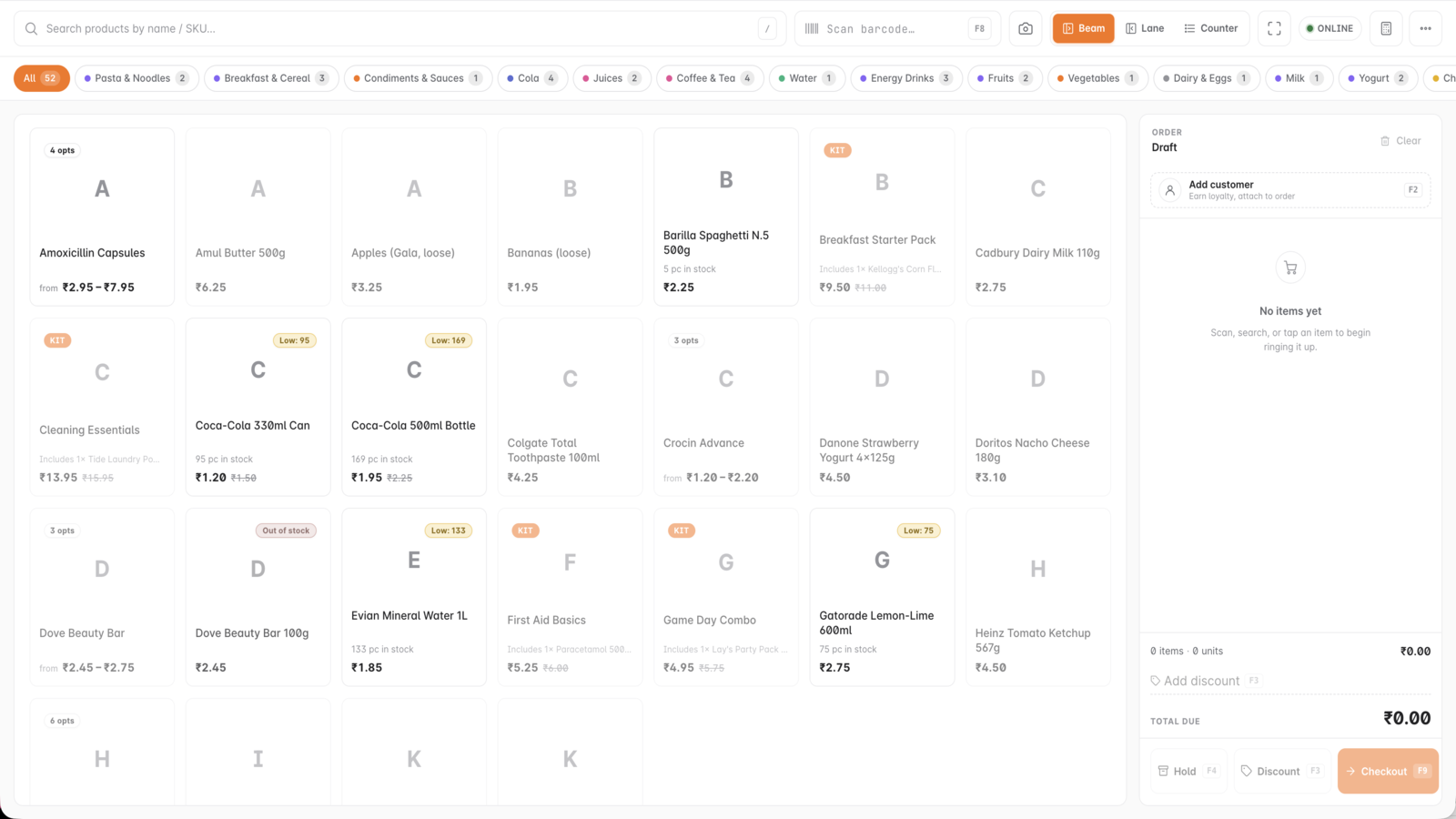
Inside GetBizApps POS
Cashier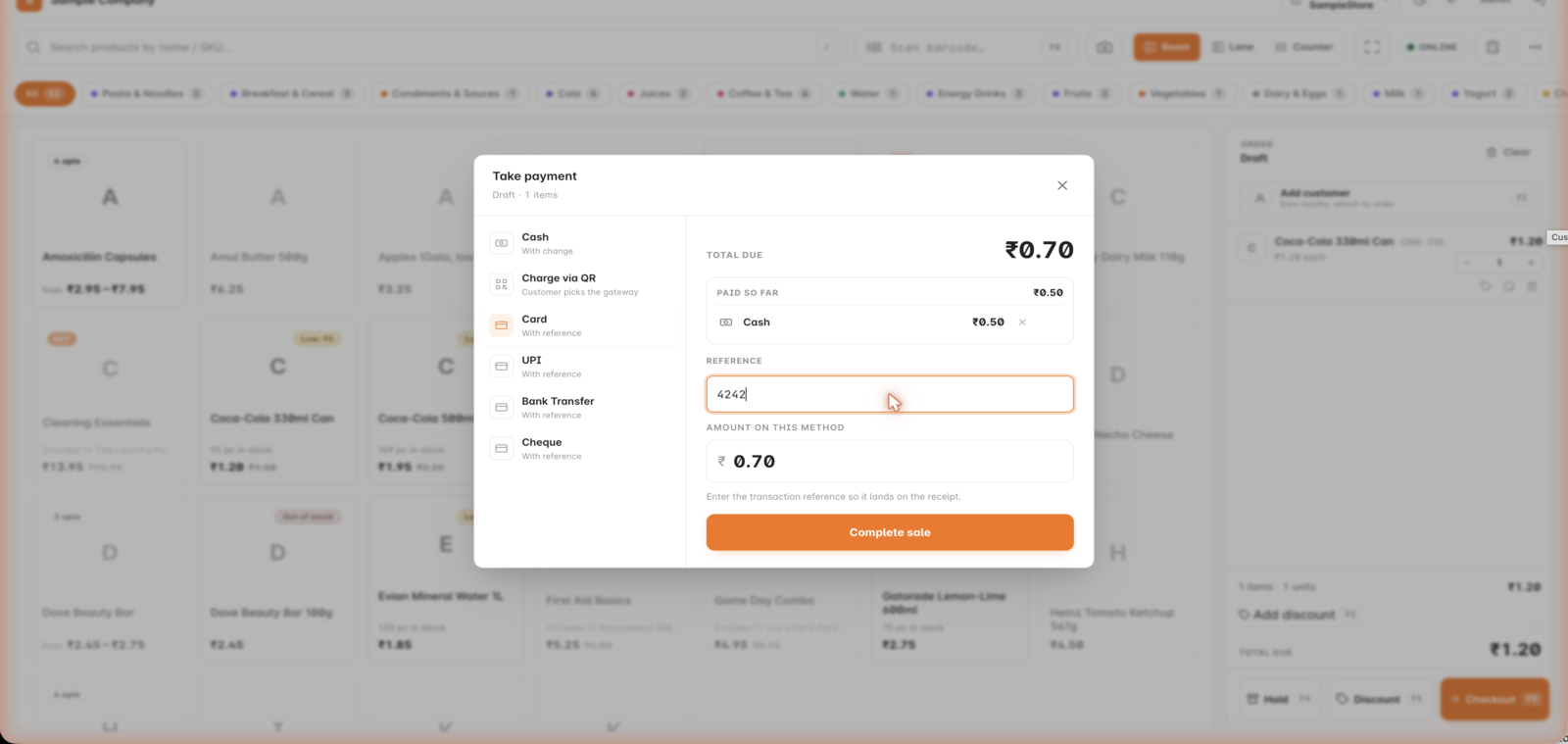
Inside GetBizApps POS
Split payment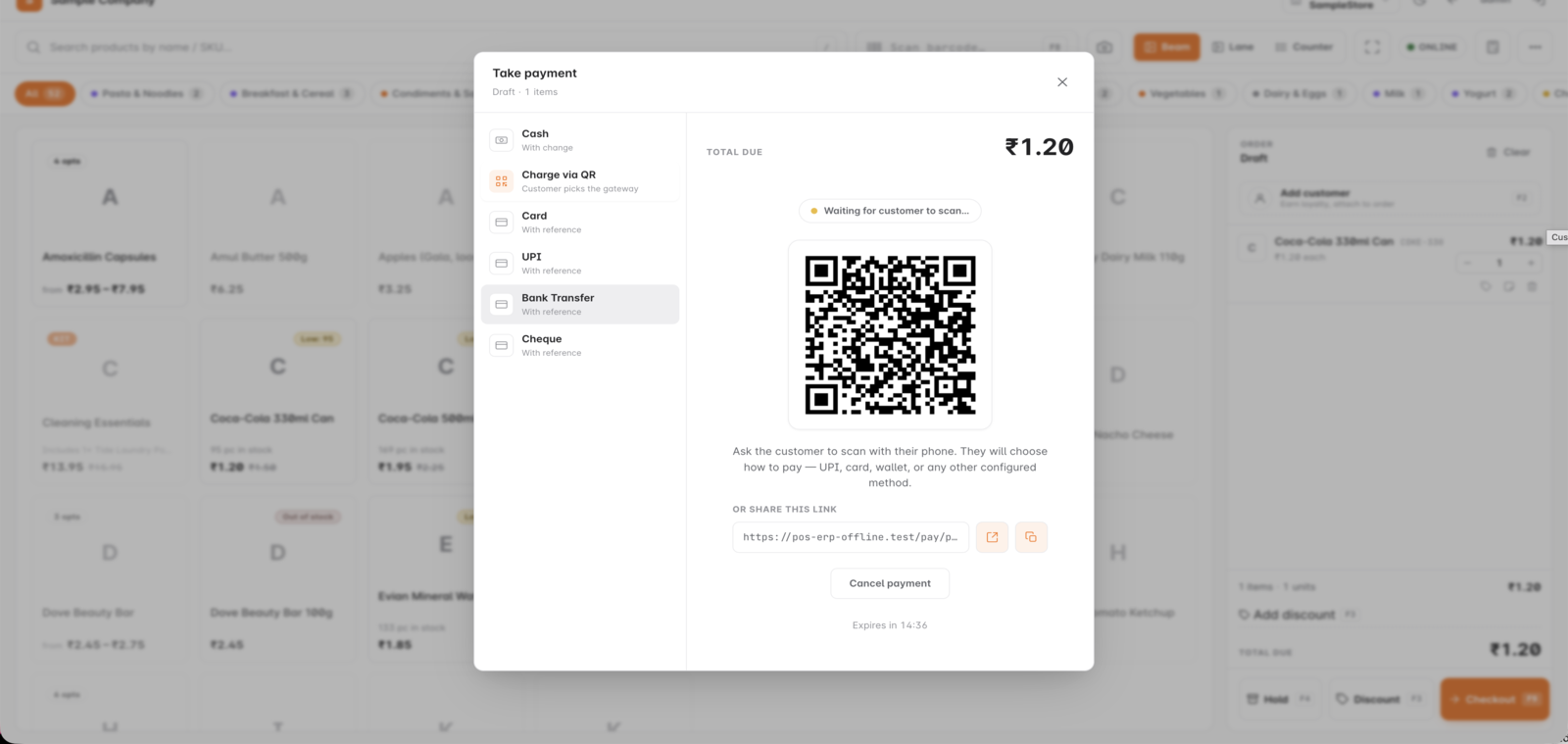
Inside GetBizApps POS
QR payment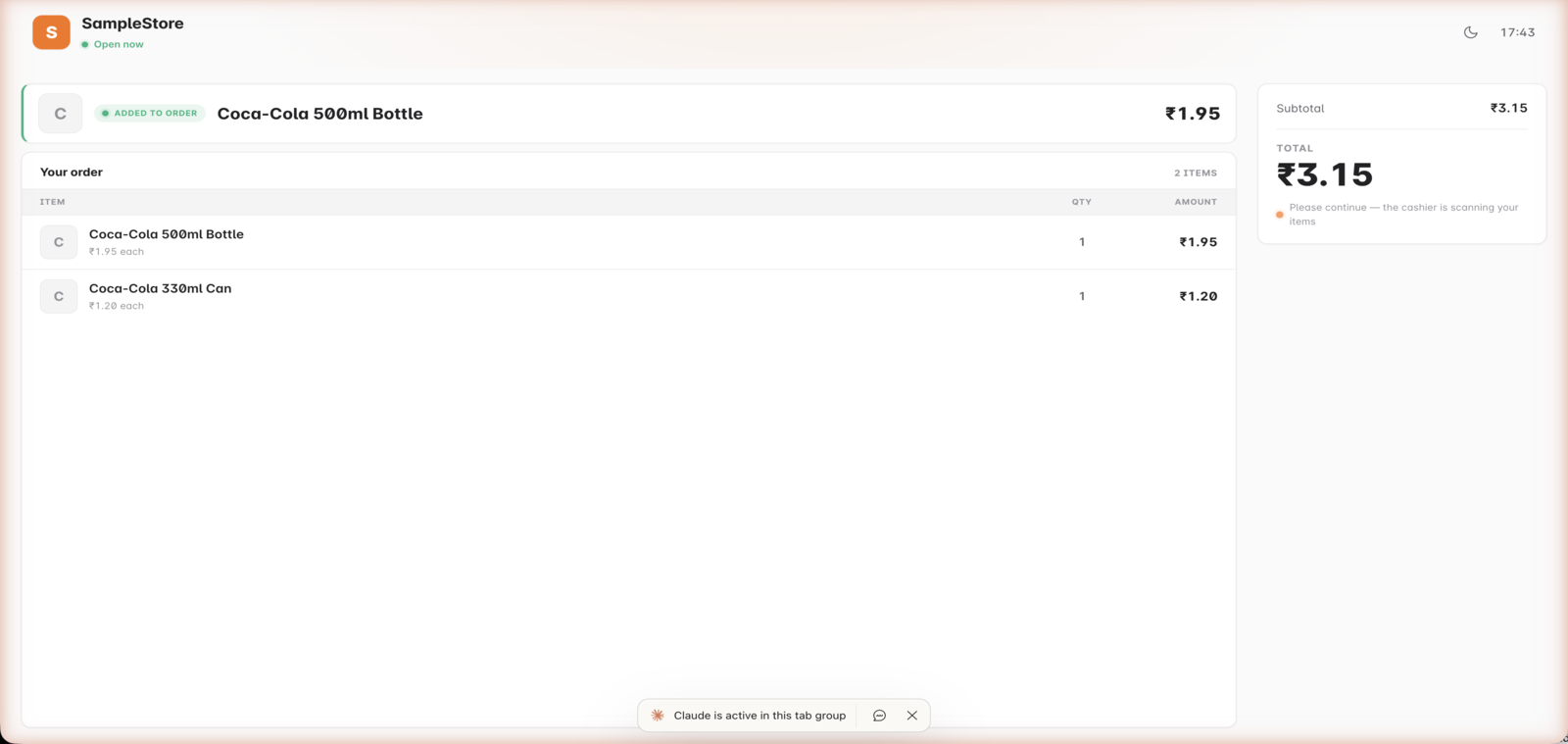
Inside GetBizApps POS
Customer display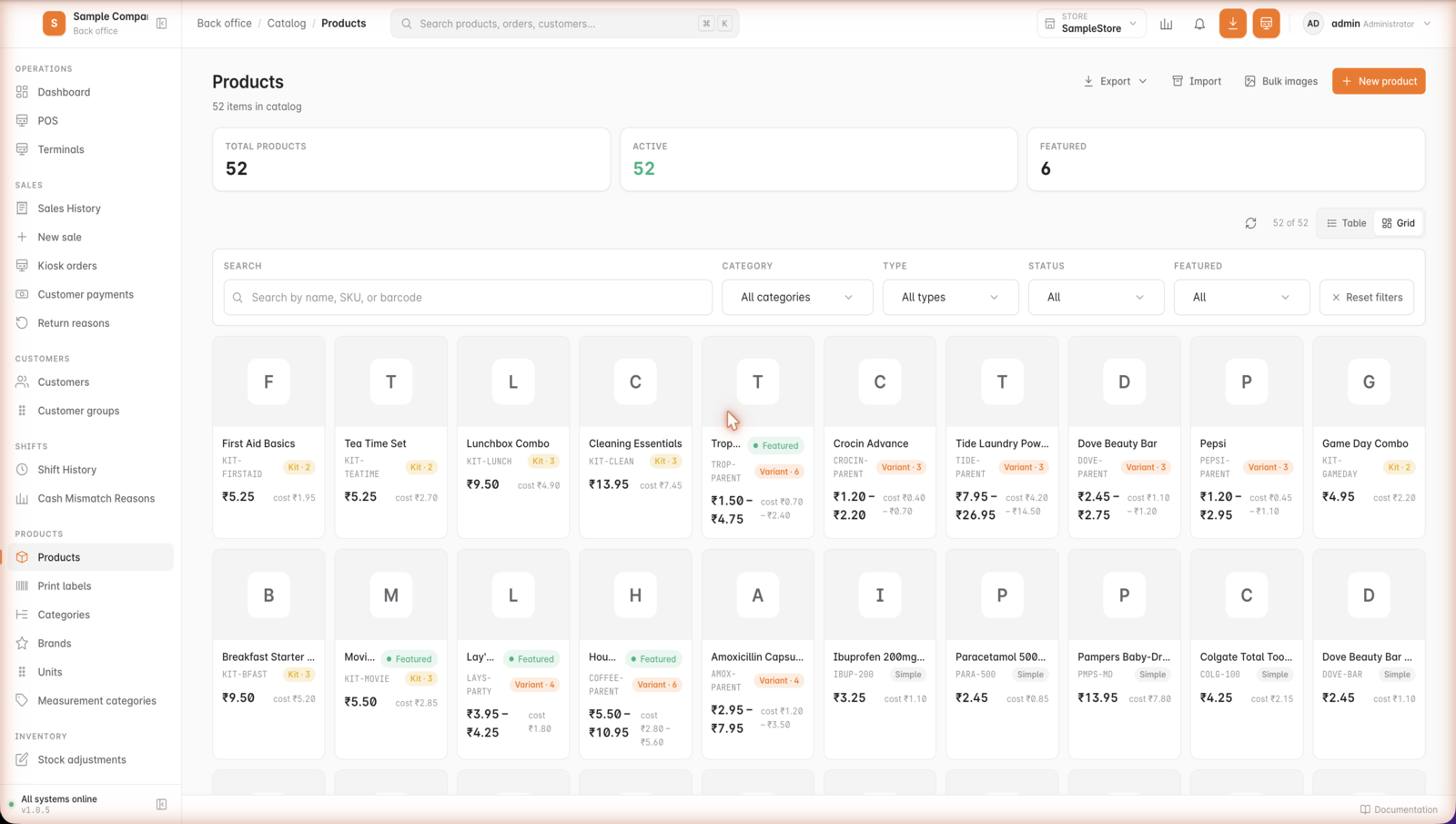
Inside GetBizApps POS
Products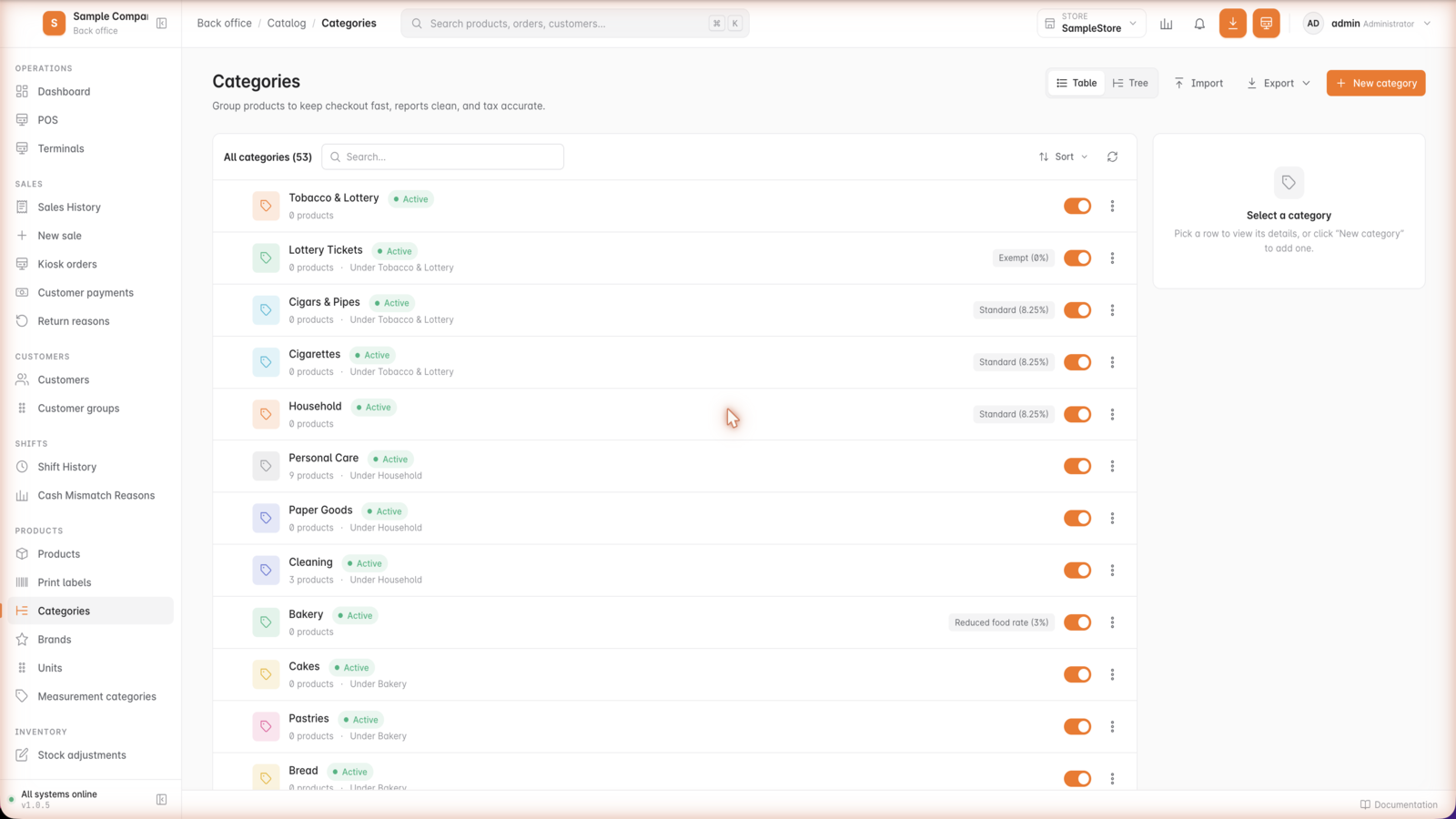
Inside GetBizApps POS
Categories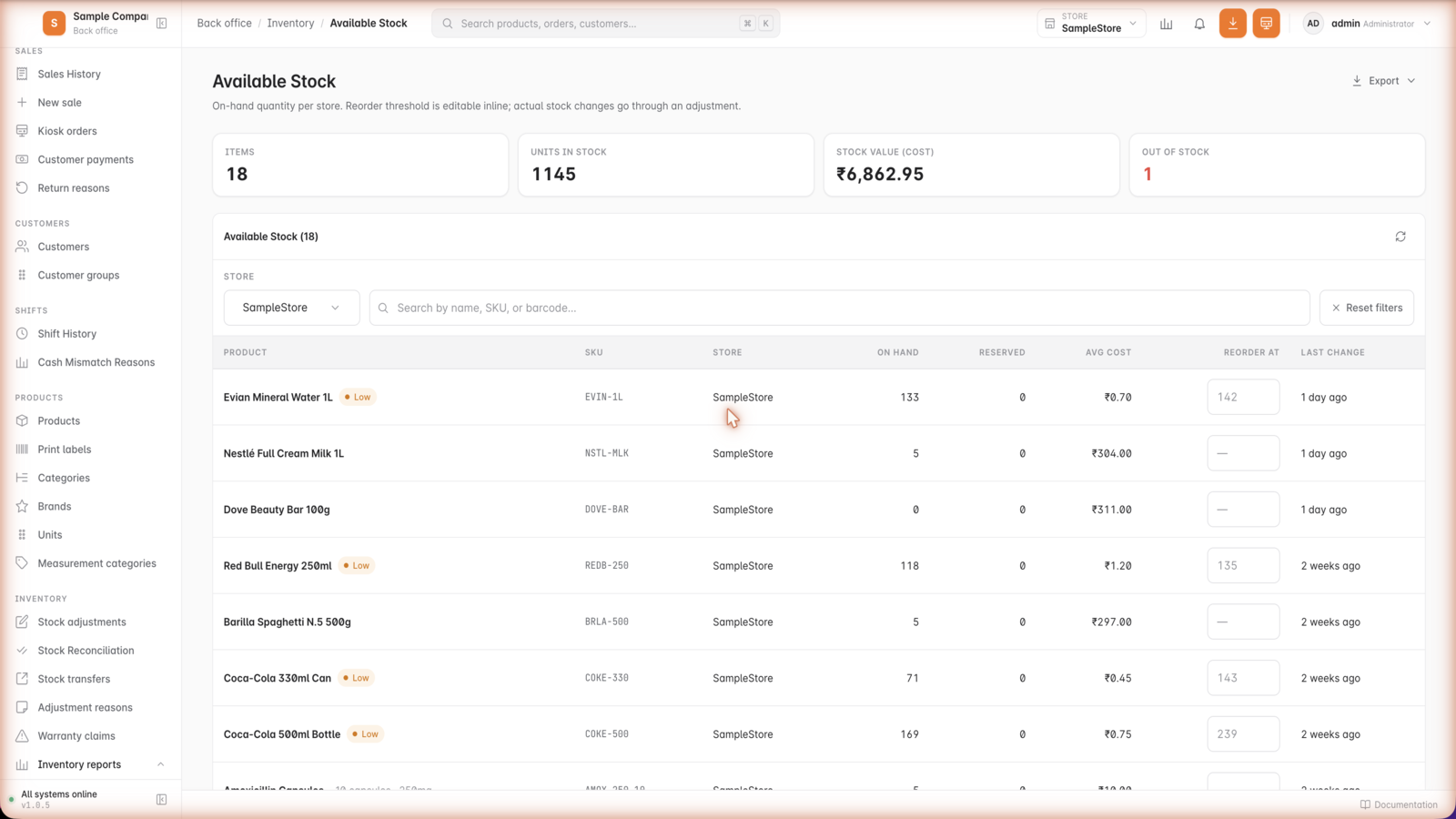
Inside GetBizApps POS
Stock levels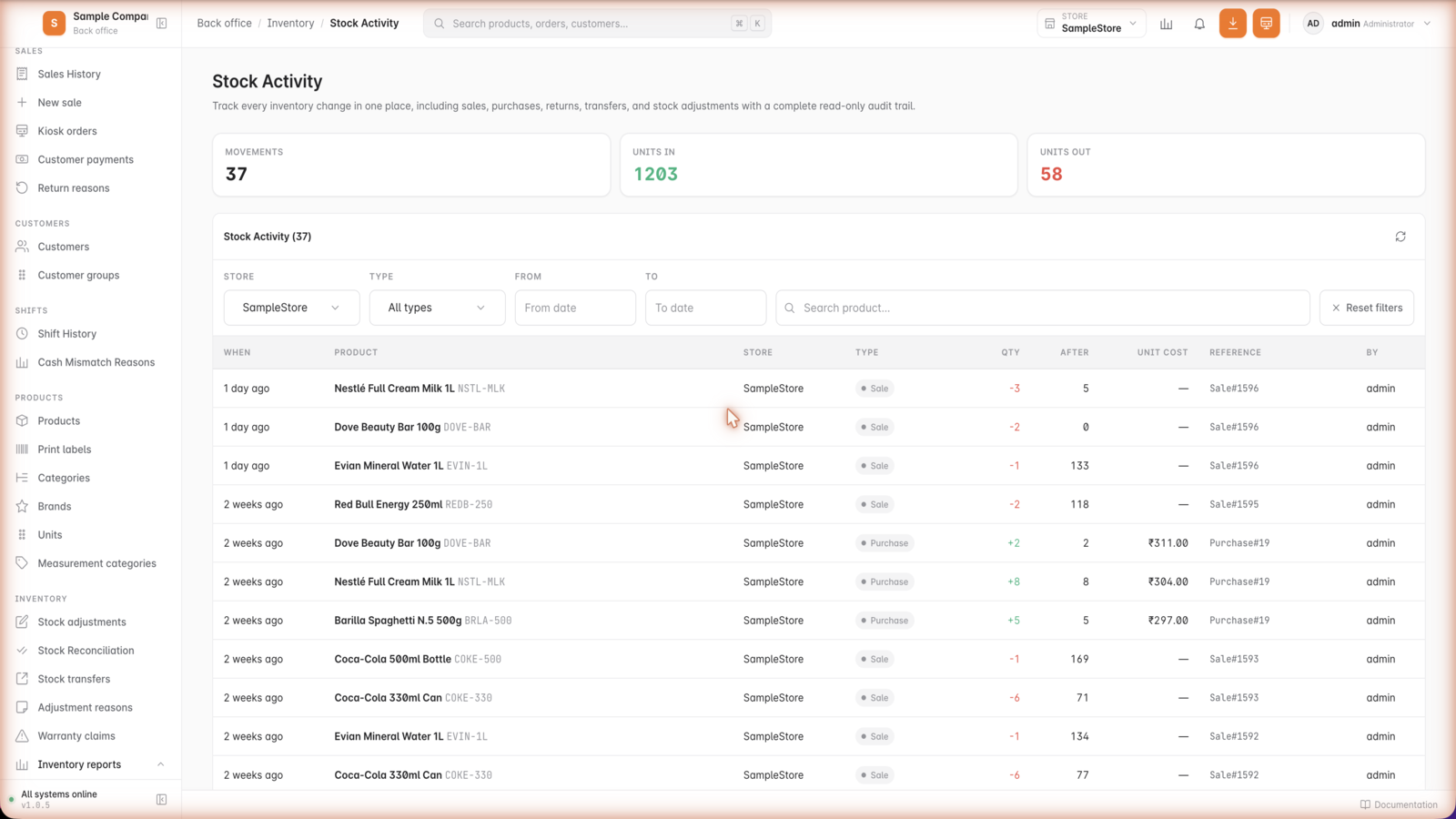
Inside GetBizApps POS
Stock movements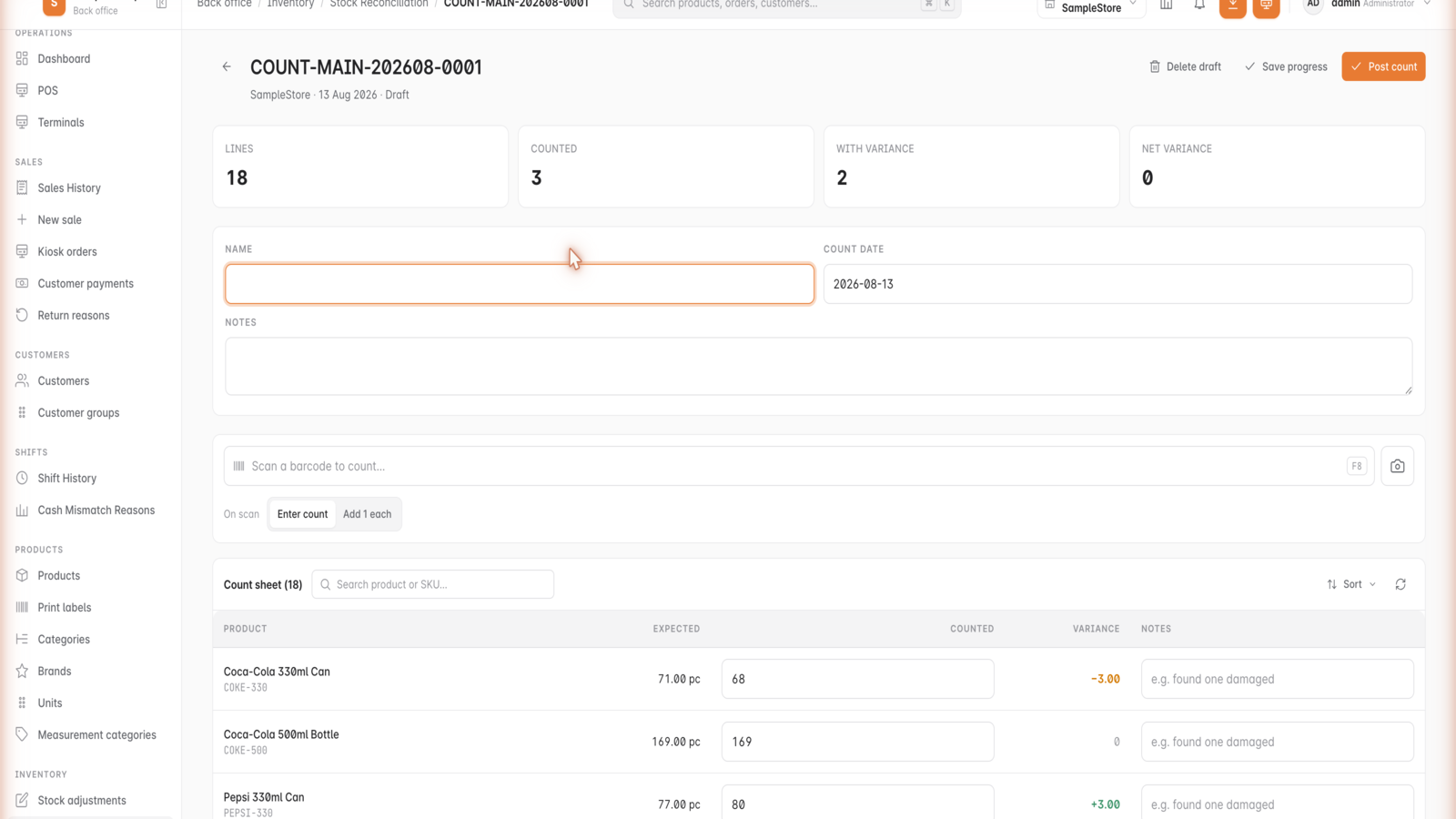
Inside GetBizApps POS
Stock take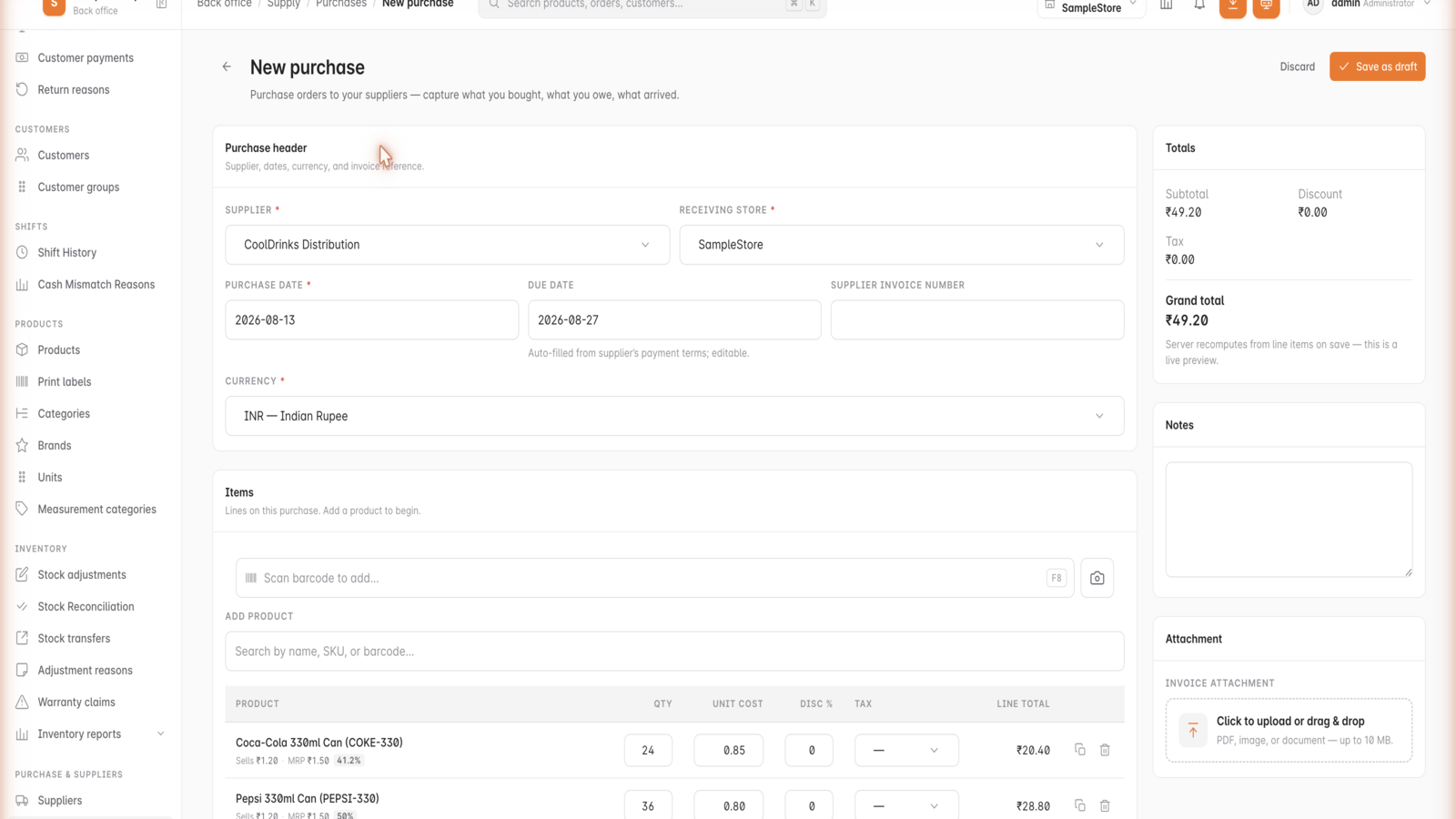
Inside GetBizApps POS
Purchases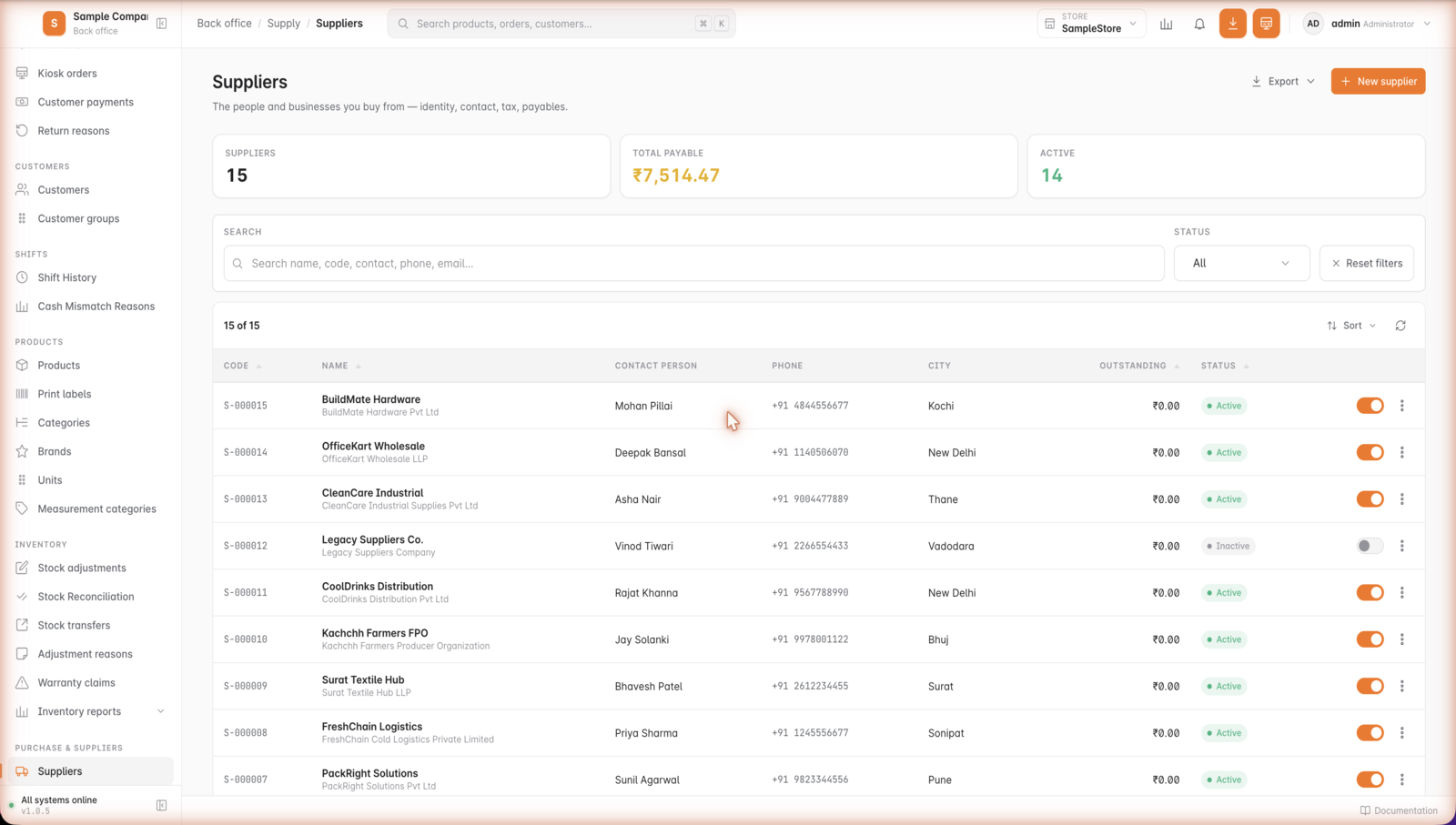
Inside GetBizApps POS
Suppliers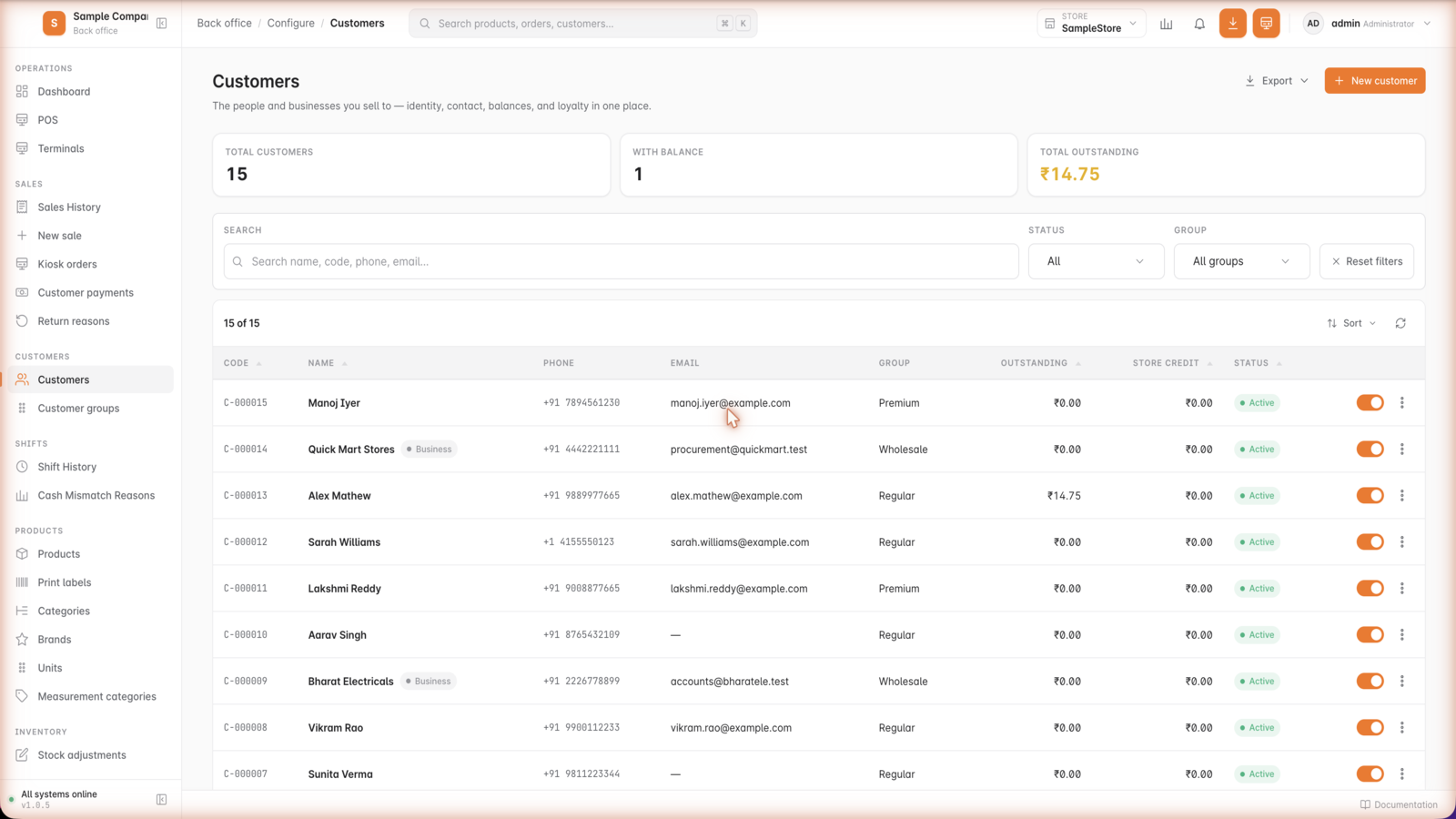
Inside GetBizApps POS
Customers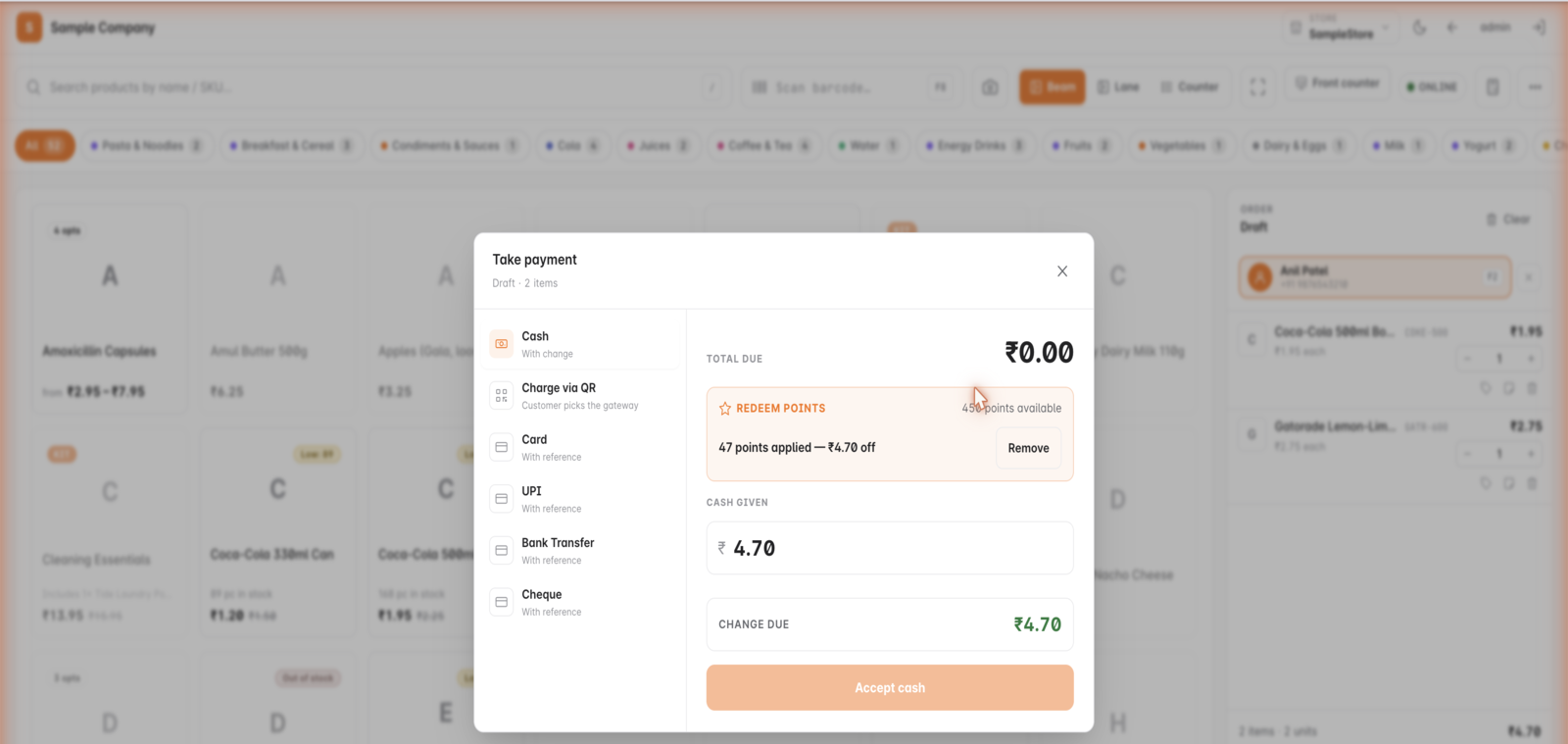
Inside GetBizApps POS
Loyalty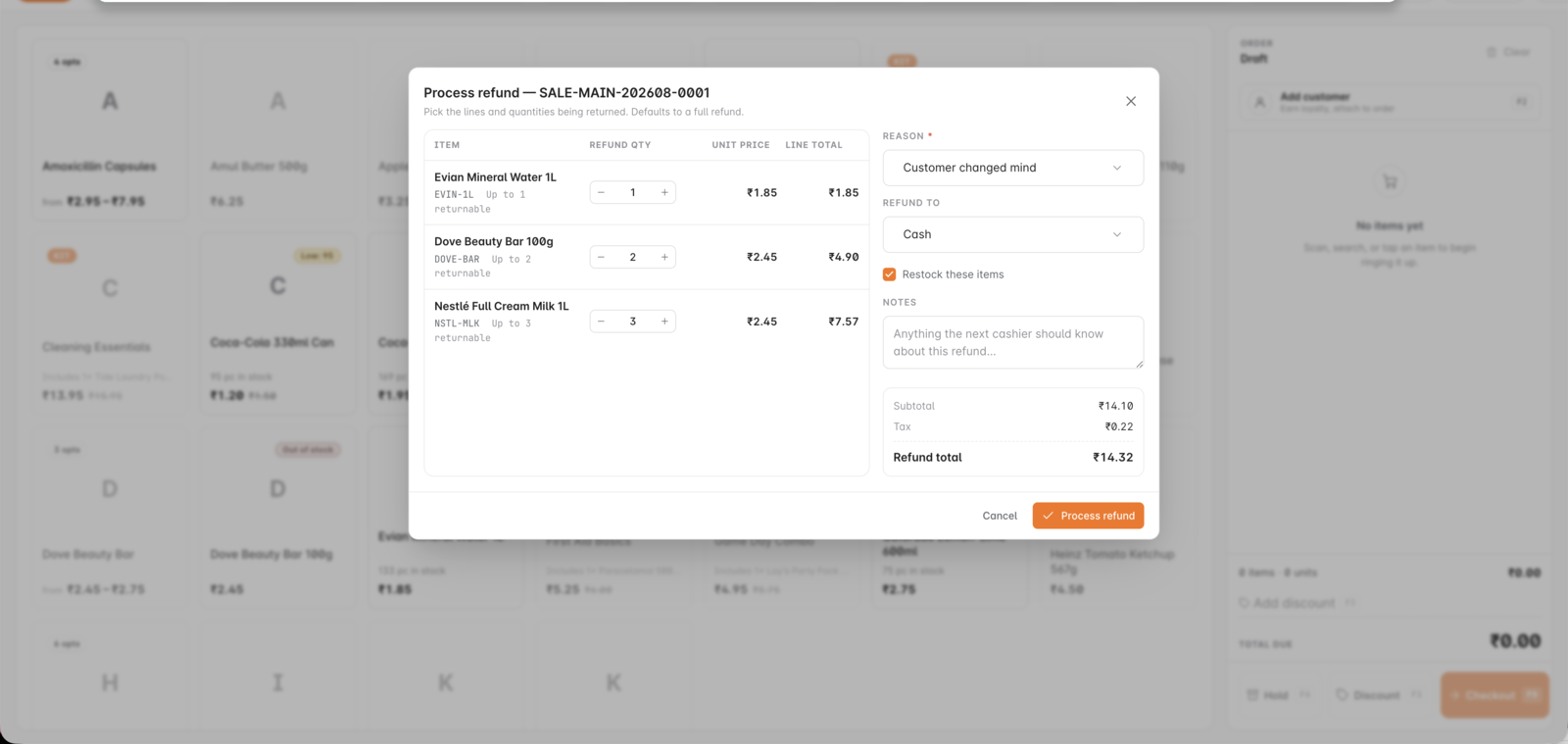
Inside GetBizApps POS
Returns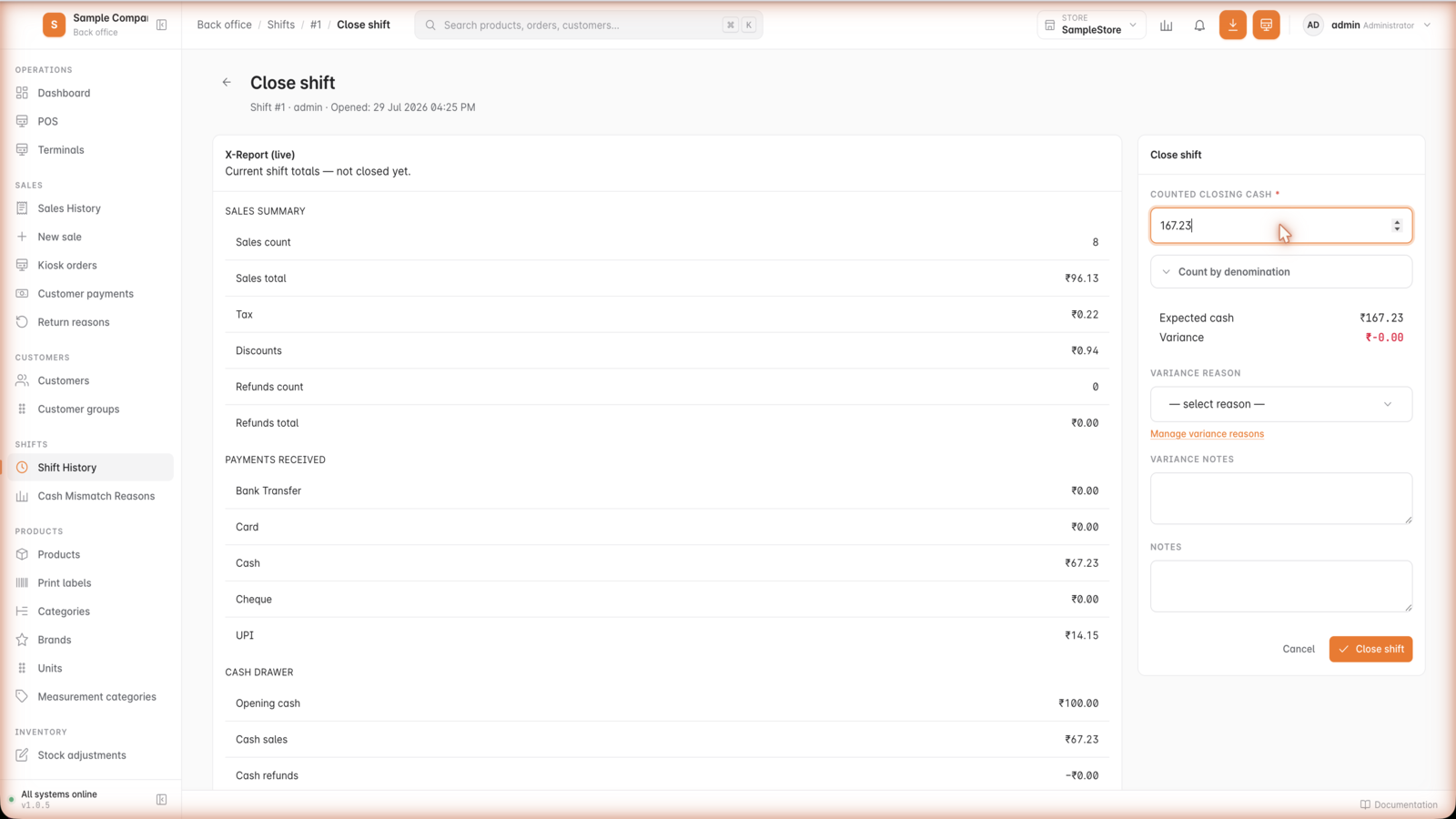
Inside GetBizApps POS
Shift close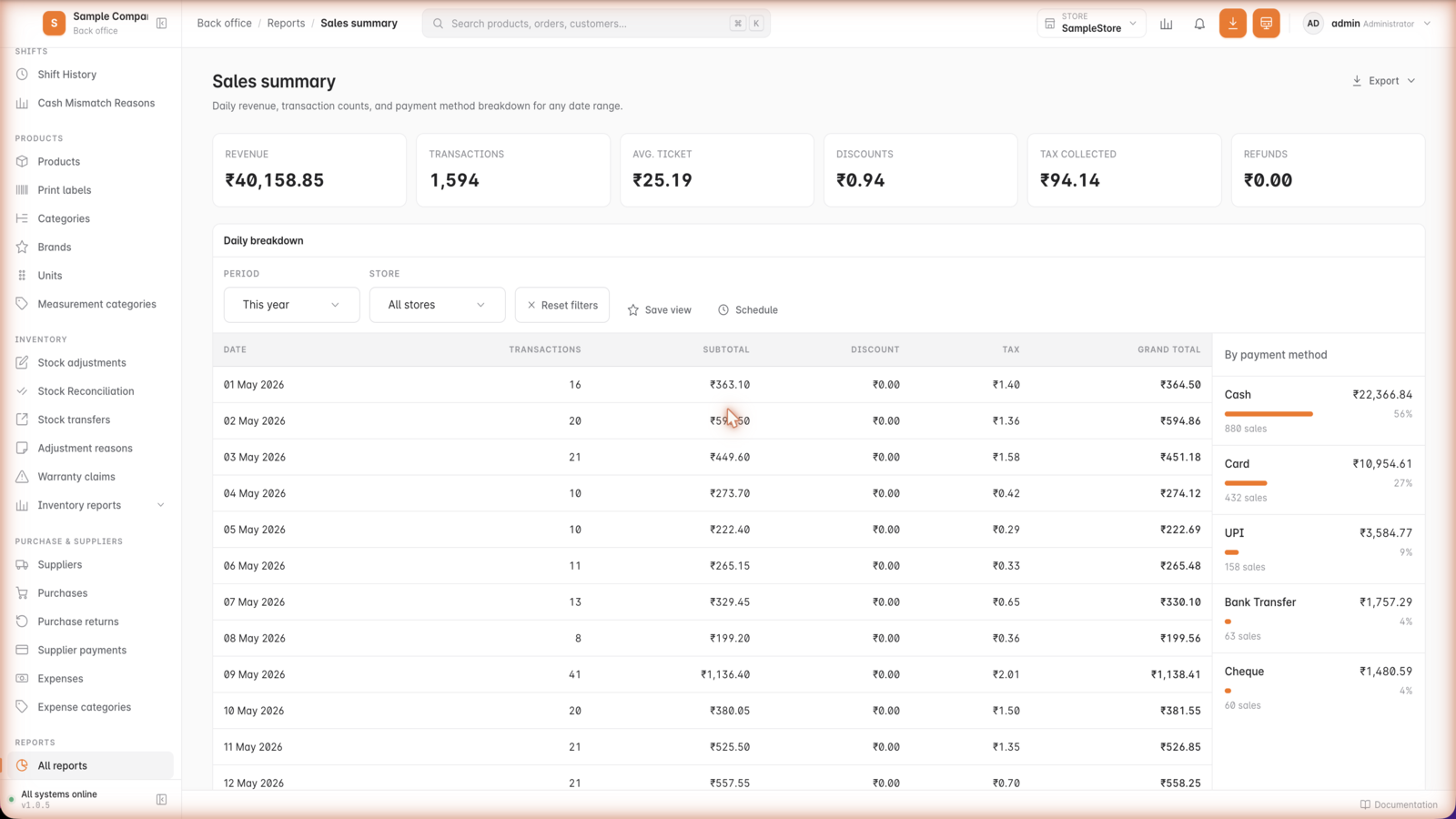
Inside GetBizApps POS
Sales reports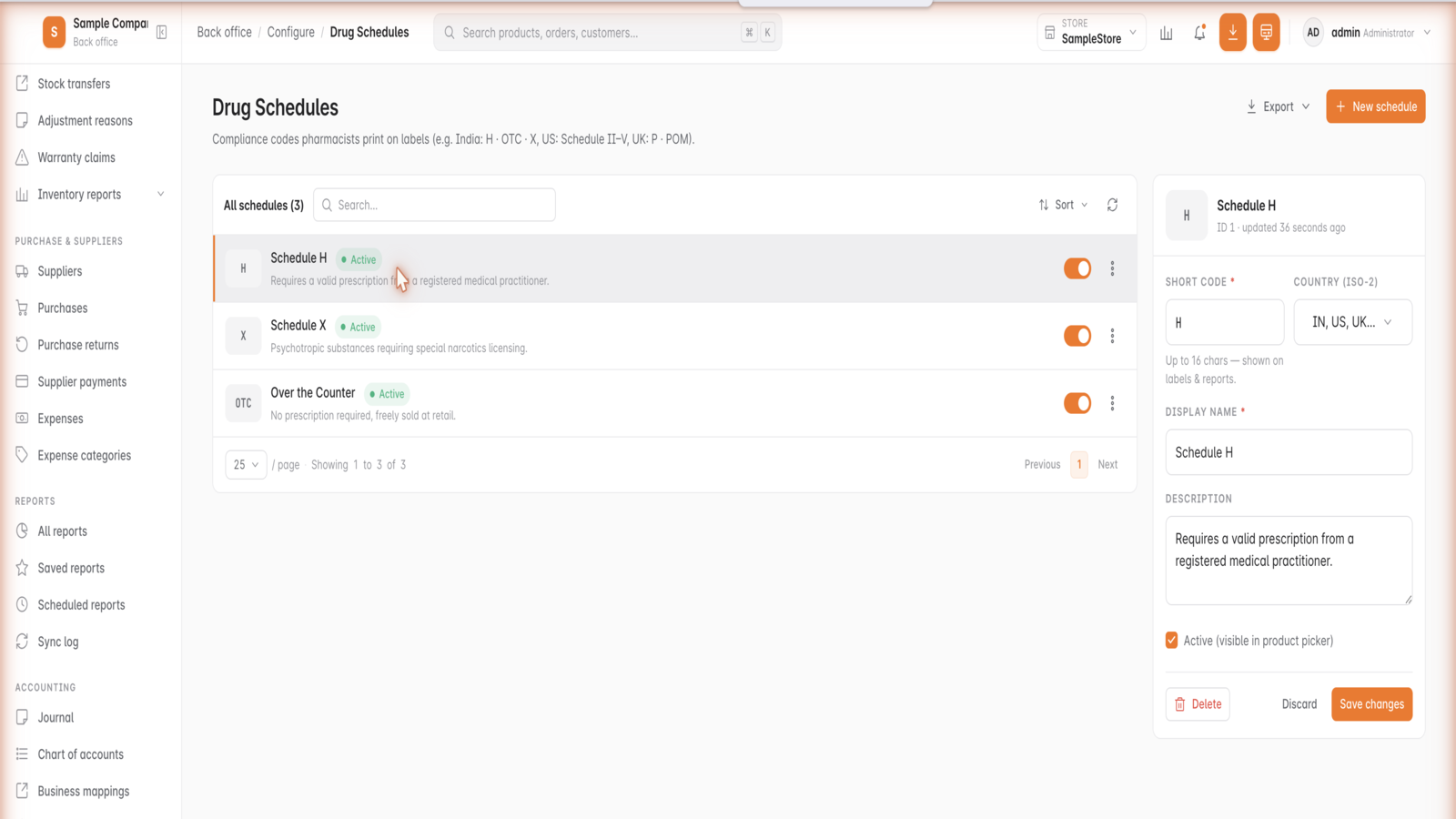
Inside GetBizApps POS
Drug schedules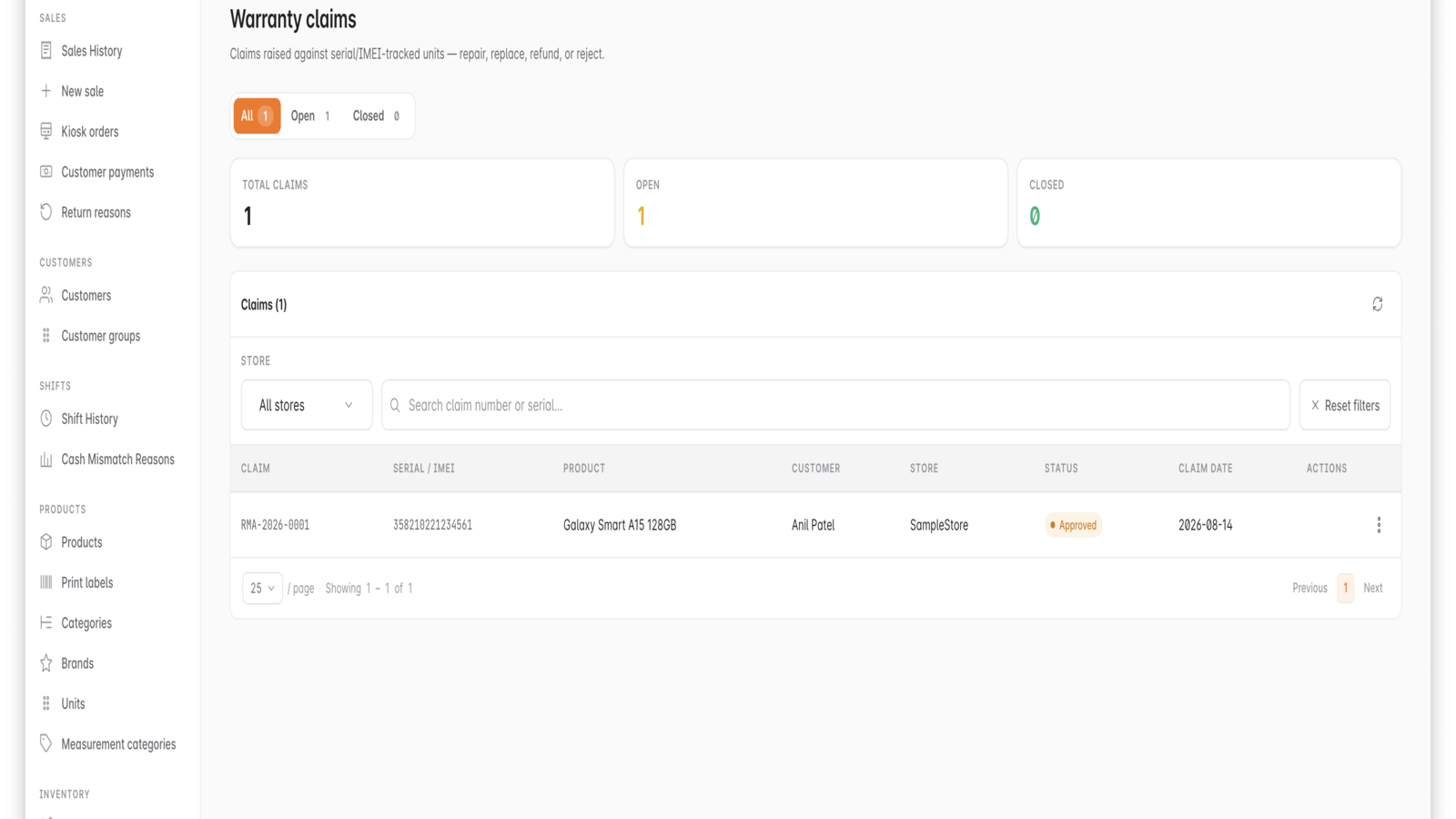
Inside GetBizApps POS
Warranty claims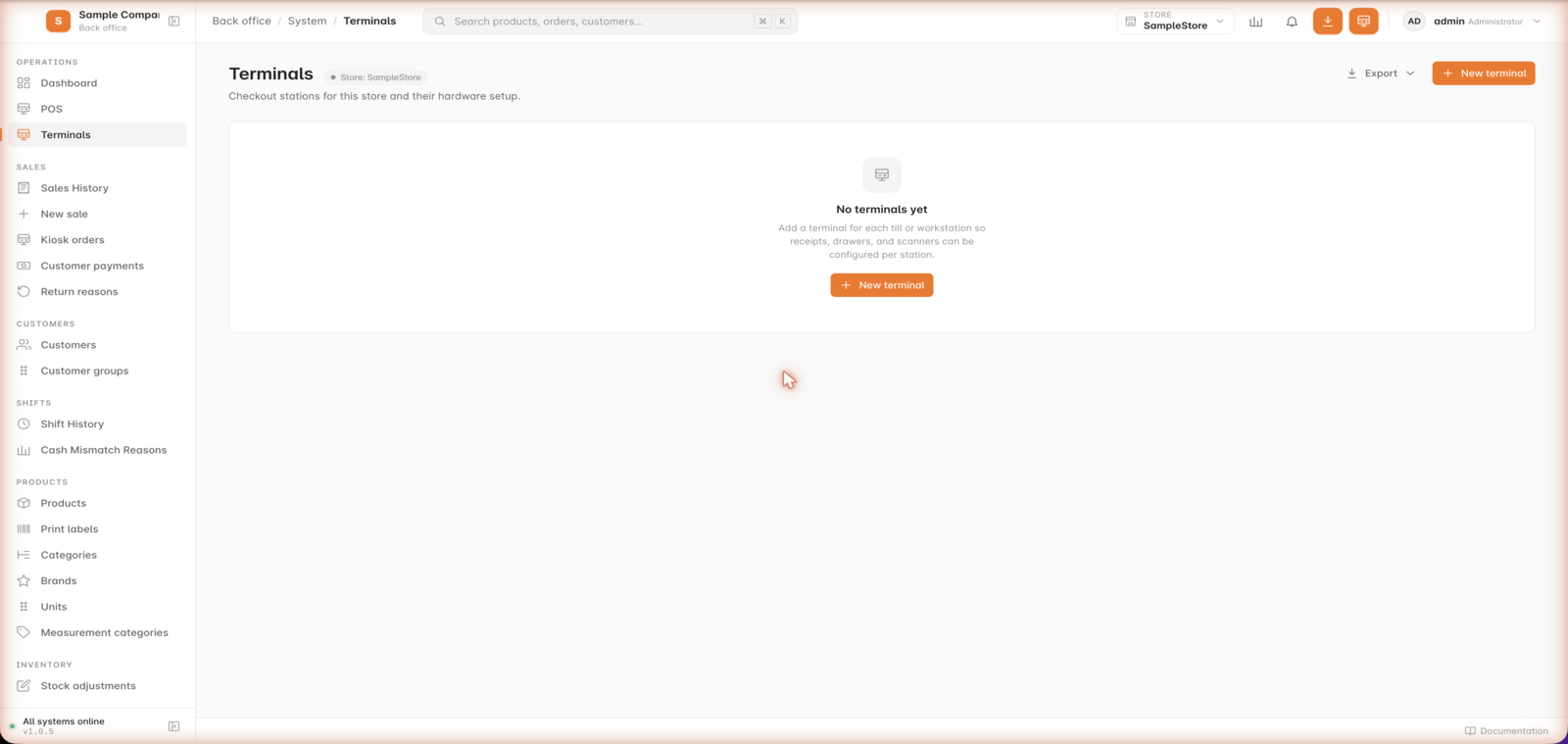
Inside GetBizApps POS
Terminals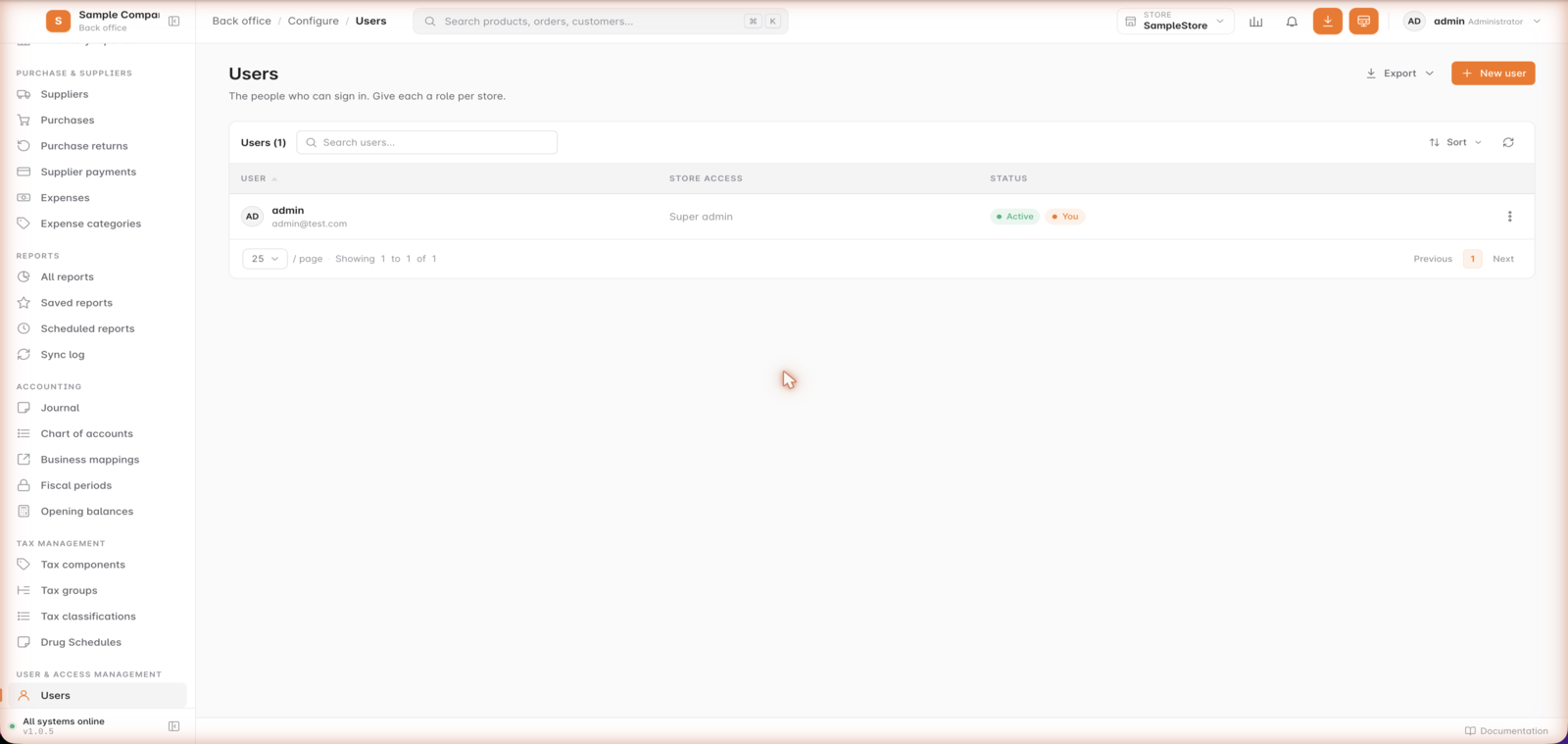
Inside GetBizApps POS
Users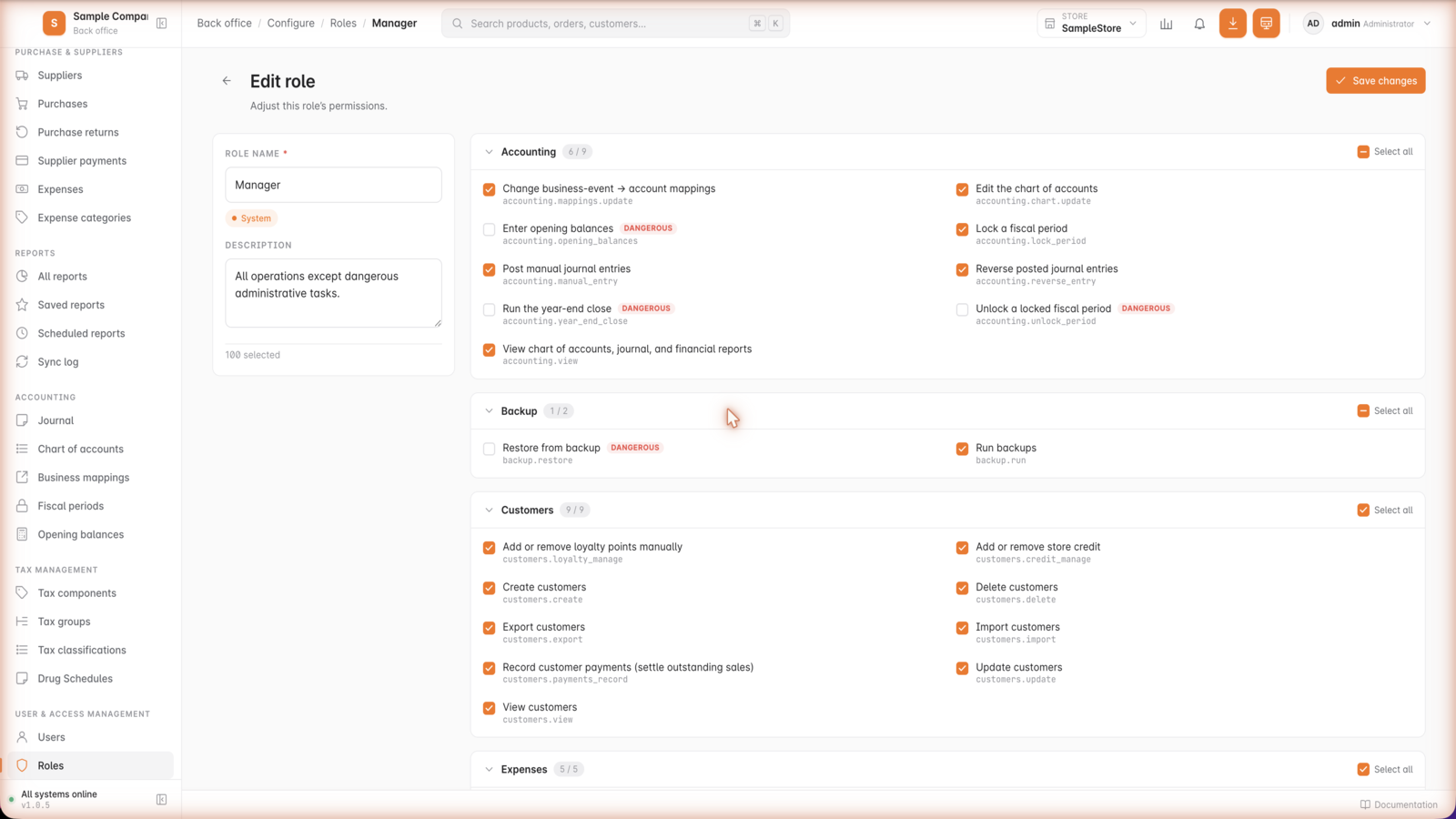
Inside GetBizApps POS
RolesAnd the full toolkit
Nothing at the counter is cut back.
The offline edition ships the same operational toolkit — only the features that need an outbound connection are unavailable.
Payments at the counter, without depending on the cloud.








Same point of sale. Two ways to run it.
The counter works the same either way. What changes is where it runs, how it is billed, and the handful of features that need a connection.
| Capability | GetBizApps POS | POS Offline |
|---|---|---|
| Cashier, products and categories | Included | Included |
| Inventory, purchasing and stock movements | Included | Included |
| Customers, loyalty and quotations | Included | Included |
| Returns, refunds and flexible tax | Included | Included |
| Roles, permissions and staff accounts | Included | Included |
| Reports, alerts and dashboard | Included | Included |
| Multi-counter on one site | Included | Included |
| Where it runs | Hosted by GetBizApps | Your local server |
| Works with no internet at all | Brief outages | Included |
| WhatsApp / SMS sending | Included | Not available |
| Hosting, backups and updates | Included | You host; updates with renewal |
| Billing | Per store, per month | Yearly licence |
- Works with no internet at all
- The cloud POS keeps taking sales through short outages and syncs when the connection returns. The offline edition is built to run indefinitely without one.
- WhatsApp / SMS sending
- Sending receipts, quotations and statements over WhatsApp or SMS needs an outbound connection, so it is unavailable in the offline edition.
A yearly licence for your own server.
No monthly subscription and no per-transaction cut — one licence per installation, renewed each year to keep receiving updates.
Installed on your server
The application runs on a local server inside your premises. Your counters talk to it over your own network, not the internet.
Licensed yearly, code encrypted
The build ships encrypted and is activated against a yearly licence tied to your installation.
Renew to keep updating
Your licence renews each year, and every renewal includes the product updates released in that period.
1 local server · 1 counter
Offline licence
Renewal includes product updates
The encrypted build on your own local server, with your first counter included. Renewed yearly, and the renewal is how you get product updates.
Multi-site is not available on POS Offline. Each licence runs one local server on one premises.
Included with every licence
- Runs on your own local server
- Encrypted application build
- Your data stays on your premises
- Keeps selling with no internet at all
- Renewals include all product updates
- Unlimited products and transactions
- Roles, permissions and staff accounts
- Reports and dashboard on the local network
Release cadence
Developed every fortnight, delivered on your terms.
GetBizApps POS Offline is built on the same two-week cycle as the cloud edition. Because it runs on your own server, you choose when that work arrives rather than having it applied to you.
How GetBizApps ships
- Built on a two-week cycle, with a larger release each month.
- Every change published publicly, so you can see what a renewal contains.
- Updates arrive with your yearly licence renewal — nothing changes under you mid-trade.
- You pick the moment to apply them, around your own trading calendar.
- A fix you report enters the same cycle as the cloud edition.
The long-cycle alternative
- Major versions months or years apart.
- Upgrades priced as separate projects on top of the licence.
- Roadmaps shared selectively, if at all.
- Falling far enough behind that upgrading becomes a migration.
- No public record of what a new version actually changed.
This is the one real difference: POS Offline runs on your local server, so updates are not pushed to it. Everything built since your last renewal is delivered together when you renew your yearly licence — renewals include updates.
Recently shipped
- ImprovedCleaner accounting, transfers, and navigation, plus fixesMore precise accounting for overpayments and store credit, batch-aware transfers, a trimmed sidebar, cleaner exports, new numbering, plus fixes.
- NewStore credit at checkoutOverpayments now become reusable store credit instead of a negative balance, and cashiers can apply it as its own tender at the till.
- NewBatch-wise pricingKeep a separate cost, selling price, and MRP per batch, with batch prices flowing through purchases, transfers, and the cashier screen.
- NewInstall and manage pluginsOwners can now install, enable, and disable add-on plugins directly from Settings → Plugins.
What teams say
Stores that stopped losing sales to the connection.
Feedback customers sent us directly, on the channel they chose. Quotes are unedited, including their own shorthand for the product.
Internet drops are common at our location. With GBA POS-Offline, billing doesn’t stop just because the connection does.
We specifically needed an offline POS because our warehouse counter has unreliable connectivity. Our staff can continue billing and sync once the connection is back.
Before GBA POS-Offline, even a five-minute internet outage created a queue at checkout. That problem has practically disappeared.
Offline-first POS should be normal for retail. Your store shouldn’t stop selling because your ISP is having a bad day.
The sync behaviour was the feature we were most concerned about. Once connectivity returns, our offline transactions are brought back into the main system without the team having to re-enter them.
Our outlet is inside a large industrial facility where network coverage is inconsistent. The offline POS has been much more dependable for day-to-day billing.
We use tablets at pop-up events where Wi-Fi is never guaranteed. GBA POS-Offline lets us keep taking orders without worrying about the venue network.
Our remote branch used to maintain manual bills whenever the internet failed. Now the entire transaction stays digital even when we are offline.
For us, offline capability was not a nice-to-have feature. It was the deciding factor. GBA POS-Offline gives our staff confidence that the counter will keep running.
We tested it by disconnecting the internet during training. The cashier continued creating bills normally, which immediately gave our team confidence.
Running a retail counter in an area with unstable broadband made cloud-only POS frustrating. Offline mode solved the most basic requirement: keep selling.
Our field sales team uses GBA POS-Offline when selling at exhibitions. They can create orders and complete transactions even when mobile data is overloaded.
We were concerned an offline system might feel limited, but we still get the product, customer and inventory workflow our team needs.
FAQ
GetBizApps POS Offline questions.
What businesses ask before putting the point of sale on their own server.
GetBizApps POS Offline is a point-of-sale system that runs on a local server inside your own premises rather than in the cloud. It is delivered as an encrypted build activated with a yearly licence, keeps your data on site, and continues selling with no internet connection at all. It is part of the GetBizApps platform at getbizapps.com.
GetBizApps POS Offline is licensed yearly per installation. The application ships as an encrypted build tied to your licence, and each renewal includes the product updates released during that period. There is no monthly subscription and no per-transaction fee. Prices are shown in both USD and INR.
You need a local server on your premises for the application to run on, and a local network your counters connect to. Counters talk to that server directly rather than over the internet, so the system keeps working when the connection is down or unavailable.
The point of sale itself is the same. GetBizApps POS is hosted by GetBizApps and billed per store per month, with hosting, backups and updates included. GetBizApps POS Offline runs on your own local server under a yearly licence, keeps data on your premises, and works with no internet at all — but features that need an outbound connection, such as sending receipts over WhatsApp or SMS, are unavailable.
Features that depend on an outbound internet connection are unavailable offline, including sending receipts, quotations and statements over WhatsApp or SMS. Everything at the counter — cashier, inventory, purchasing, customers, returns, tax, roles, reporting and multi-counter operation — works the same as the cloud edition.
Your data stays on the local server inside your premises. Nothing is required to leave your network for the point of sale to operate, which is why businesses with strict data-residency requirements or unreliable connectivity choose this edition.
Renewals are what keep you receiving product updates. If a licence is not renewed you stop receiving new updates — contact the GetBizApps team for the current terms that apply to your installation before a renewal date passes.
Yes. Each premises runs its own licensed local server, and additional sites are licensed per location. This keeps each site independent so a connectivity problem at one location never affects selling at another.
Run it on your own server.
Tell us about your site, your counters and the hardware you already have, and we will scope the installation and the licence that fits.
Encrypted build · Local server · Renewals include updates